

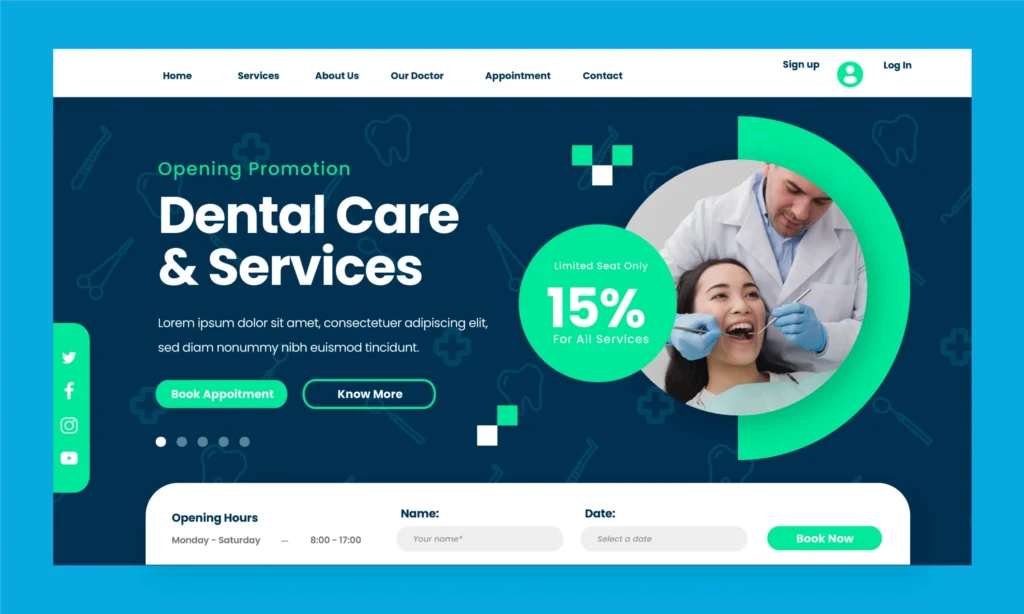
Your dental practice may provide excellent care and deliver great patient outcomes. But if potential patients cannot find you online when they are actively searching for dental services, they may choose another dentist instead.
Google Ads for Dentists is a fast and measurable way to put your practice in front of potential patients at the exact moment they are searching for the treatment or dental care you provide.
This complete guide explains how Google Ads works for dentists, why dental PPC requires a focused approach, and the strategies that can help turn relevant searches into qualified patient enquiries and dental appointments.
Understanding Google Ads for Dentists and Why It Matters
Most patients searching for a dentist are ready to book — they are not browsing for fun. They have a toothache, need an appointment for their child’s dental check-up, or have finally decided to get that dental implant they have been putting off for months.
Google Ads for dentists puts your clinic at the top of the search results page—above organic listings—at the precise moment those high-intent patients are searching. This is not broad awareness advertising. This is direct-response, intent-based marketing at the moment of peak patient need.
For dental practices that want to grow their patient base faster than SEO alone allows — or want to fill appointment slots for specific, high-value procedures like implants, Invisalign, or teeth whitening — Google Ads is the most controllable, scalable option available in 2026.
Why Google Ads Works for Dental Clinics in 2026
The dental market is intensely competitive in most cities — and patient acquisition has become more expensive across every channel. Here is why Google Ads remains the highest-performing paid acquisition channel for dentists:
- Captures active patient intent — a patient searching “dental implant clinic near me” is significantly more likely to book than one who sees a passive social media ad
- Immediate visibility — while SEO takes 6-12 months to build, Google Ads delivers first-page presence from the first day of campaign launch
- Accurate geographic targeting — you control exactly which areas, postcodes, or radius from your clinic your ads appear in
- Procedure-specific targeting — create separate campaigns for emergency dental care, orthodontics, implants, and cosmetic dentistry — targeting the exact services driving your revenue
- Cost only on clicks — you pay only when a potential patient actually clicks your ad, not for impressions
- Fully measurable ROI — call tracking, form tracking, and Google Analytics integration show exactly which searches, ads, and keywords are generating actual appointments
Key Benefits of Google Ads for Dental Practices
For clinics wanting to grow quickly:
- New patient acquisition starts within days, not months
- Campaigns can be scaled up or down based on appointment capacity
For established practices:
- Promote high-value procedures (implants, veneers, Invisalign) to specific demographics
- Fill specific appointment slots during traditionally slow periods
For clinics in competitive markets:
- Appear above competitors even when organic rankings are lower
- Dominate the local pack and search results simultaneously with Local Services Ads + Search Ads combined
How Google Ads Works for Dental Clinics
Google Ads operates on an auction-based system — where you bid to show your ad when a patient searches a keyword relevant to your dental services.
The process:
- A patient types a search query — “emergency dentist Delhi” or “teeth whitening near me”
- Google’s auction system evaluates all active bids for that keyword
- Your ad is shown if your bid and Quality Score are competitive
- The patient clicks your ad — you pay the cost-per-click (CPC)
- The patient lands on your clinic’s landing page and books an appointment
What is Quality Score?
Google does not just reward the highest bidder — it rewards relevance. Quality Score is a 1-10 score based on your keyword relevance, ad copy quality, and landing page experience. A high Quality Score reduces your cost-per-click and improves ad position — meaning a well-optimised dental Google Ads campaign can outrank a competitor who is spending more.
Types of Google Ads Campaigns for Dentists
Understanding the different campaign types helps you choose the right approach — or the right combination — for your dental practice goals.
Google Search Ads
Text ads appearing at the top of search results when patients search for dental keywords. The most common and effective Google Ads format for dental clinics.
Best for: Direct appointment generation for specific procedures and emergency dental queries.
Google Local Services Ads (LSAs)
A specialised format showing verified dental clinics at the very top of Google — above standard Search Ads — with the “Google Screened” or “Google Guaranteed” badge.
Best for: Building immediate patient trust and capturing high-intent local searches — you pay per verified lead, not per click.
Google Display Ads
Visual banner ads shown across Google’s partner websites — useful for remarketing to patients who visited your website but did not book an appointment.
Best for: Retargeting warm audiences — patients who researched dental implants on your site last week but haven’t booked yet.
Google Performance Max (PMax)
An AI-driven campaign type that automatically runs ads across Search, Display, YouTube, Gmail, and Maps — optimised toward your conversion goals.
Best for: Established clinics with conversion tracking set up and enough data for Google’s AI to optimise effectively.
YouTube Video Ads
Short video ads shown before or during YouTube videos — effective for premium cosmetic dental procedures where showing before-and-after results drives interest.
Best for: Building awareness and desire for high-value cosmetic treatments like veneers, full-mouth rehabilitation, and dental implants.
Which Type of Google Ads Campaign Is Best for Dentists?
For most dental clinics — particularly those new to Google Ads — Google Search Ads combined with Local Services Ads is the most effective starting point:
- Search Ads capture active, procedure-specific intent
- LSAs build trust through the Google Screened badge and pay-per-lead pricing
- Together, they dominate the top of search results for local dental queries
Once campaigns are established and conversion data is available, adding Display remarketing and Performance Max extends reach and lowers overall cost per patient acquisition.
Best Strategies for a High-Converting Dental Google Ads Campaign
A Google Ads campaign that generates clicks without generating appointments is a common and expensive failure. These strategies ensure your dental Google Ads budget converts into actual booked patients.
Target Procedure-Specific Keywords — Not Generic Terms
Generic keywords like “dentist” are expensive and low-converting. Procedure-specific and intent-specific keywords convert at significantly higher rates:
High-converting dental keywords:
- “emergency dentist [city]
“ - “dental implants cost [city]”
- “Invisalign consultation near me”
- “teeth whitening clinic near me”
- “wisdom tooth removal [city]”
Use Negative Keywords Aggressively
Negative keywords prevent your ads from showing for irrelevant searches — protecting your budget from wasted or unnecessary clicks:
- Add “free”, “NHS”, “government”, “DIY”, “pain relief home remedy” as negatives
- Review your Search Terms report weekly to identify irrelevant queries consuming budget
Write Ad Copy That Speaks Directly to Patient Pain Points
The most effective dental ad copy addresses what the patient is worried about — not what the clinic wants to promote:
- “Toothache? Same-Day Emergency Appointments Available”
- “Invisible Braces — Free Consultation, No Commitment”
- “Dental Implants From ₹X — 10-Year Guarantee”
Optimise Your Landing Page for Conversion — Not Just Clicks
Sending Google Ads traffic to your homepage is one of the most common dental Google Ads mistakes. Each campaign needs a dedicated landing page with:
- A single, clear CTA — “Book an Appointment” or “Claim Your Free Consultation”
- The specific procedure prominently featured above the fold
- Patient reviews and before-and-after photos for social proof
- A click-to-call phone number visible without scrolling
- A simple, 3-field contact form — name, phone, preferred appointment time
Use Ad Extensions to Increase Visibility and Clicks
Ad extensions expand your ad with additional useful information — increasing the space your ad takes up on the results page and your click-through rate:
- Call extensions — add your clinic phone number directly to the ad
- Location extensions — show your clinic address and link to Google Maps
- Sitelink extensions — add links to specific service pages (Implants, Invisalign, Emergency)
- Callout extensions — highlight key differentiators (“Same-Day Appointments”, “0% Finance Available”)
How to Optimise and Scale Your Dental Google Ads Campaigns
Launching a campaign is only the beginning. Consistent optimisation is what separates Google Ads campaigns that compound in performance from those that plateau or deteriorate.
Weekly optimisation tasks:
- Review Search Terms report — add new negative keywords and discover new converting queries to target
- Check impression share — if competitors are winning more impressions, evaluate bid adjustments
- Monitor Quality Scores — improve underperforming ads and landing page relevance
Monthly optimisation tasks:
- A/B test new ad copy — test different headlines, CTAs, and value propositions
- Review geographic performance — increase bids in high-converting areas, reduce in low-converting areas
- Assess device performance — mobile vs desktop conversion rates often differ significantly for dental queries
- Evaluate campaign budget distribution — move budget toward highest-performing procedures
Scaling strategy:
- Once cost per appointment is consistently acceptable, increase budgets incrementally — 15-20% per week
- Expand to new procedure keywords as core campaigns stabilise
- Add remarketing campaigns to recapture patients who visited but did not convert
What Dentists Can Expect to Spend on Google Ads
Budget expectations vary significantly by city, procedure, and competition level — but these ranges provide a realistic starting framework:
| Market / Procedure | Estimated Monthly Budget | Estimated Cost Per Lead |
| General dentistry — tier-2 Indian city | ₹15,000 – ₹30,000 | ₹300 – ₹800 |
| General dentistry — metro city (Delhi, Mumbai) | ₹30,000 – ₹60,000 | ₹600 – ₹1,500 |
| Dental implants — metro city | ₹40,000 – ₹80,000 | ₹1,000 – ₹3,000 |
| Invisalign / orthodontics — metro city | ₹35,000 – ₹70,000 | ₹800 – ₹2,500 |
| Emergency dentistry | ₹20,000 – ₹45,000 | ₹400 – ₹1,200 |
Important caveats:
- These are estimated ranges — actual costs depend on competition, Quality Score, landing page conversion rate, and seasonal demand
- Dental implant and cosmetic dentistry keywords are more expensive per click but produce higher revenue per patient — making cost per acquisition far more favourable when viewed against procedure value
- A well-optimised campaign consistently reduces cost per lead over time as Quality Scores improve and negative keyword lists mature
Frequently Asked Questions
1. How much do Google Ads cost for dentists?
Google Ads for dentists in India typically cost ₹15,000–₹80,000+ per month, depending on the city, treatment, and competition. Cost per lead may range from ₹300–₹1,500 for general dentistry and ₹1,000–₹3,000 for treatments like dental implants.
2. Search Ads vs Local Services Ads — what’s the difference?
Google Search Ads are keyword-targeted and charged per click, while Local Services Ads charge per lead and may appear prominently in search results. Eligible dental clinics can benefit from using both.
3. Getting clicks but no dental appointments — why?
Common reasons include poor keyword targeting, irrelevant landing pages, unclear CTAs, or a complicated booking process. A focused landing page with easy booking options and trust signals can improve conversions.
4. How long until Google Ads generates dental appointments?
Dental campaigns may generate their first appointments within 7–14 days, while stable performance typically takes 60–90 days of ongoing optimization and testing.
5. How do I stop wasting budget on the wrong patients?
Use negative keywords, geographic targeting, and relevant audience settings to reduce unqualified traffic. Regularly reviewing the Search Terms report helps identify and exclude irrelevant searches.
Conclusion
Google Ads for dentists is not a passive marketing tool — it is a precision instrument for patient acquisition that rewards the clinics that understand their numbers, test their messaging, and manage their campaigns with consistency. Done right, it delivers a measurable, scalable stream of high-intent appointment bookings that supplements and accelerates everything else your practice is doing to grow.
Ocean Multivision — one of India’s leading healthcare marketing agencies — builds and manages Google Ads campaigns specifically for dental clinics, designing campaigns that go beyond clicks to deliver verifiable appointment bookings, measurable cost per patient, and the kind of transparent reporting that shows exactly what your marketing budget is producing.